> For the complete documentation index, see [llms.txt](https://docs.shoplift.ai/llms.txt). Markdown versions of documentation pages are available by appending `.md` to page URLs; this page is available as [Markdown](https://docs.shoplift.ai/learn/guides/guide-testing-one-click-payment-methods.md).
# Testing One-Click Payment Methods
If you'd like to test the impact of one-click payment methods integrated with Shopify Payments (like Shop Pay, PayPal, Apple Pay, and more) on your product pages, you can easily do so by adding custom CSS to your variant product template to hide these payment methods.
The test results will allow you to effectively measure the impact of these payment methods on your website and allow you to identify the degree of improvement, or lack thereof, that they provide.
### Step 1: Create a new product template test
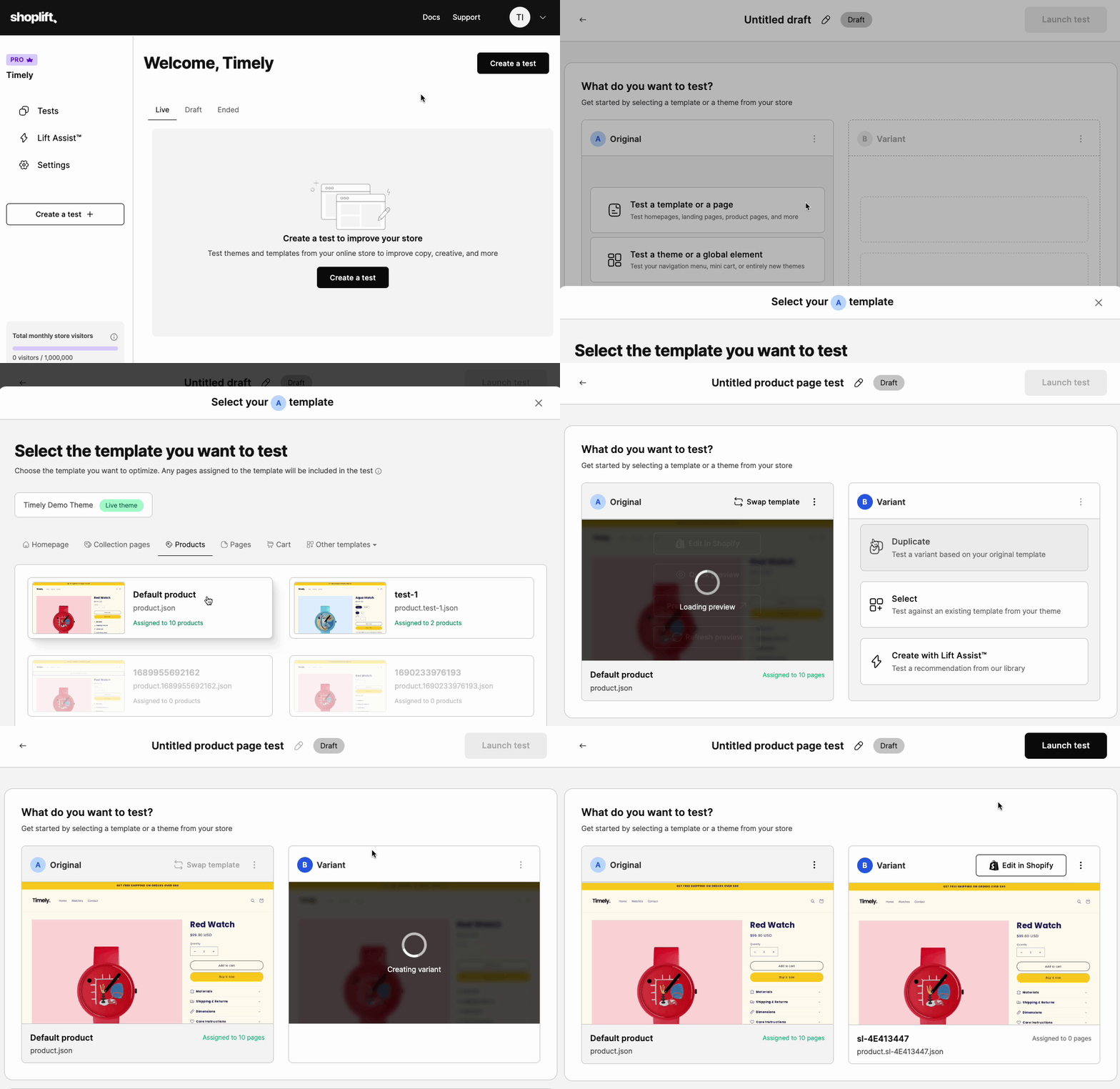
* From the Shoplift Dashboard, click **Create Test** and select a product template as your original.
* Then click **Duplicate** to create a variant template from your original template.
### Step 2: Hide Shopify Payments on your variant template
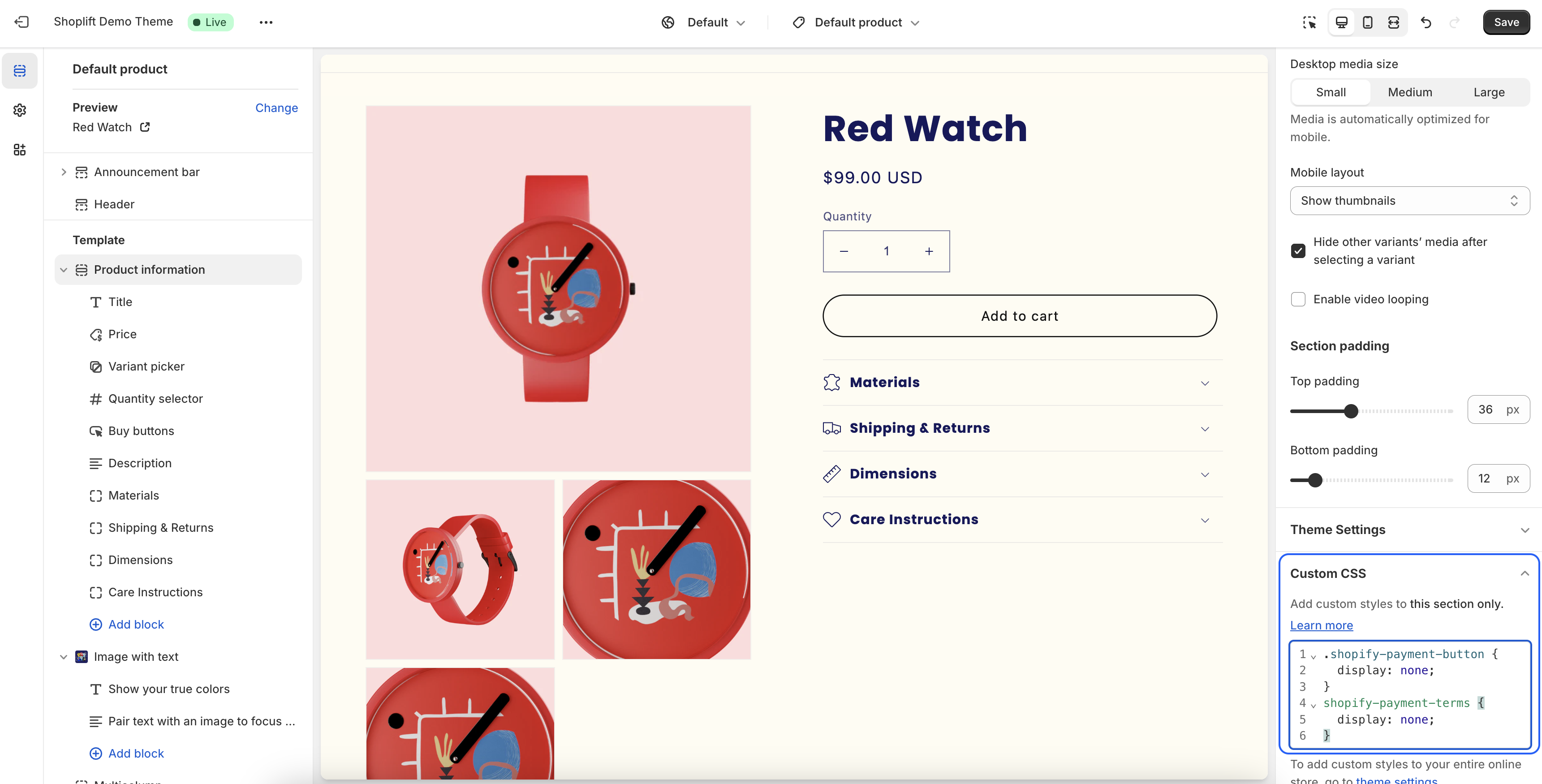
* Click **Edit in Shopify** to open up the Theme Editor and edit your variant template. Select your product details section or product information section from the list of sections on the left-hand sidebar.
* Scroll through the section settings in the right-hand sidebar until you see a **Custom CSS** option.
* Click this to reveal a field where you can write or paste custom CSS code (the CSS code will apply to this section on this template only).
* Add the following code to this custom CSS field, and click **Save** to save your changes.
```
.shopify-payment-button {
display: none;
}
shopify-payment-terms {
display: none;
}
```
### Step 3: Preview your variant template and launch your test
* Return to Shoplift, and click **View in browser** to preview your variant template in a new tab. You should see that both the Shopify Payments buttons and the Shopify payment terms banner are hidden from sight.
* Launch your test and see the results roll in!